
Kaboom Town
- Developer
- Mursi
- Rating
- 9.3(based on last 6 months)
- Votes
- 62 likes and 5 dislikes
- Released
- October 2026
- Last Updated
- October 2026
- Game engine
- HTML5
- Platforms
- Browser (desktop, mobile, tablet), CrazyGames App (iOS, Android)
- Orientation
- Landscape
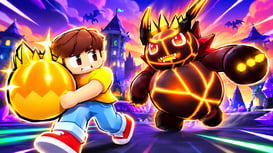
Kaboom Town is a block-by-block destruction game. Aim at a building, fire, and watch it crumble: floors cave in, towers lose their tops and come crashing down onto the streets below.
Every block you knock loose pays coins. Destroy 25, 50, 75 and 90 percent of a city for big bonuses, then spend your coins on bigger weapons and upgrades, or travel to a new city that pays more.
Start with a single rocket and work your way up to rocket salvos, fireworks, dynamite, air strikes, a wrecking ball, meteors, tornadoes, a railgun, an orbital laser, a laser sword that cuts towers in half, a volcano, black holes, a giant hammer and the nuke, and later a tornado swarm, an earthquake, a drone swarm, a giant ape, a kraken, a UFO, a giant worm, a meteor shower, a giant robot with laser eyes, a tsunami and a giant foot.
Features:
- 31 weapons, each with upgrades for blast size, amount and fire rate
- 12 cities: small town, downtown, harbour with a suspension bridge, night city, stadium district, a knight’s castle, a pirate cove with galleons and a treasure island, neon city, a snowy ski village, pyramids, a dino park with a volcano and a moon base with low gravity
- Real block physics: cut a tower in half and its top falls and crushes what is below
- Every city hides a golden bank full of extra coins, its landmarks pay a big bonus when they fall, and bonus crates parachute in now and then
- Daily quests, 25 trophies, levels, a daily reward and rebirth for a lasting coin bonus; your progress is saved
- Mouse, keyboard and touch controls
- Light flashes can be switched off in the settings
- English, German, Spanish, Portuguese and French
Last Updated
Oct 29, 2026
Controls
- Mouse: left click to fire (hold to keep firing)
- Right-drag or the arrow buttons: turn
- Mouse wheel: zoom.
- Keyboard: A/D or Left/Right to turn
- W/S or Up/Down: zoom
- 1-9 and 0: pick a weapon
- Space: fire
- Touch: tap to fire, drag to turn, pinch to zoom.