
Free Kicks World Cup 2026
- Developer
- Xander Develops
- Rating
- 8.8(based on last 6 months)
- Released
- April 2026
- Last Updated
- September 2026
- Game engine
- HTML5
- Platforms
- Browser (desktop, mobile, tablet), CrazyGames App (iOS, Android)
- Orientation
- Portrait
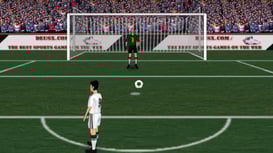
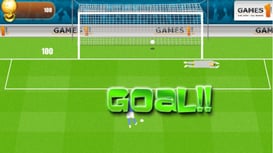
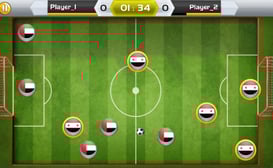
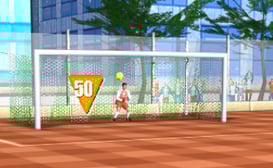
Free Kicks World Cup 2026 is an arcade sports soccer game where you get the most exciting elements of soccer: free kicks and penalties. Every match is won or lost on your ability to aim, but no pressure. You can play against the computer in a solo game or challenge real players online.
How to Play Free Kicks World Cup 2026
The game starts with a tutorial simulated final: Brazil vs Argentina. You're down 0-1 late in the match, and your goal is to score 2 goals before time runs out to win the Global Cup. This tutorial walks you through the three-step kicking system you'll use for the rest of the game.
Taking a Free Kick
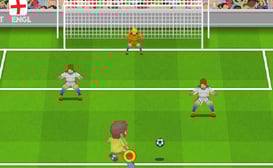
- Choose Direction. A yellow arrow swings back and forth from your kicker. Point the arrow at the green circle, then click (or press Spacebar) to lock in your direction.
- Choose Power. A power meter appears, running from Weak to Max. Tap again when the moving cursor hits the green target. For easier, closer shots, around half power is usually right. Don't overhit it.
- Add Bend. A curve meter slides between Left, None, and Right. Tap on the green target to give the ball the right amount of curl, enough to bend it around the wall and past the keeper.
Saving a Penalty
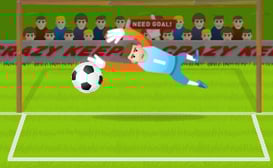
You also defend. When the opponent steps up for a penalty, you control the keeper. Drag to the side you want him to dive. The further you swipe, the wider he reaches, but be ready: the striker shoots as soon as you drag.
Win the simulated final, and you're officially welcomed into FreeKicks 2026. Hit Continue to reach the main menu.
From the main menu, you can see your player profile at the top, including your division, your country selection, and your coin balance. Below that are the four game modes:
- Quick Play: Jump into a single match, offline or online.
- Practice: Sharpen your kicks with no pressure.
- Tournament: Play a full World Cup, solo or online.
- Custom Cup: Create or join multiplayer cups with real players.
Practice Mode
Practice Mode is the best place to perfect your technique. Choose between two drills:
- Penalties
- Free Kicks
Your best streak is saved for each drill; this means there's always a high score to beat. If your run ends, you can watch an ad to continue your streak, try again from zero, or head back. You can also adjust the difficulty setting at the top of the screen.
Quick Play
Quick Play (also called Quick Match) is a single match with no tournament attached. Choose Offline to play against the CPU or Online to face a real opponent.
Tournament
This is the full World Cup experience. Choose your mode first:
- Online - Mixes real players with CPU teams.
- Offline - Play the full cup solo against the CPU.
Next, select your team. Teams are organized into groups, and each country has an overall rating. You can choose between Rated Mode, which counts toward your record, and Non-Official Mode. The game tracks your total runs and cup wins.
Once the tournament starts, you'll see the Matchday screen. The Groups tab shows the standings for every group, with matches played (P), goal difference (GD), and points (Pts). Your team is highlighted, and your next fixture is shown at the top of the screen. Hit Start Match to play. If you survive the group stage, you move on to the Knockouts bracket, where it's win or go home.
Custom Cup
Custom Cup is pure multiplayer: every team belongs to a real player, with no CPU teams in this mode. You can find an existing room or create your own.
Finding a room
- Auto Find: The game finds a room for you.
- Browse Rooms: Enter a room code or search public rooms manually.
Creating a room
You can also create your own room to play with friends. Name your room, set an optional password, and choose your settings: number of players, Cup or League format, and how many legs each fixture has. Cup rooms need 4 or 8 players, while League rooms need 3 to 8. You can also make your room visible in public search. The match count for your setup is shown above the Create Room button.
The room starts only after everyone has picked a country, and you play your assigned fixture when it's your turn.
Tips
Practice makes perfect. The three-tap rhythm (direction, power, curve) becomes muscle memory fast, and it pays off in tournaments.
More Games Like This
Keep playing soccer with games like Soccer Bros or Soccer Random from our sports collection. Or try a different sport like Basketball Stars, Basket Random, Wrestle Bros, or 8 Ball Pool.
Last Updated
Sep 23, 2026
Controls
- Click / Tap = Lock direction, power, and curve
- Drag Left / Right = Move the goalkeeper during penalty shootouts
FAQ
Can I play Free Kicks World Cup 2026 on mobile?
Free Kicks World Cup 2026 is compatible with most devices including mobile, desktop and tablet.
Where can I play soccer games online?
You can play soccer games online for free at CrazyGames with a robust selection of games that include Free Kicks World Cup 2026 and more.
Gameplay Video